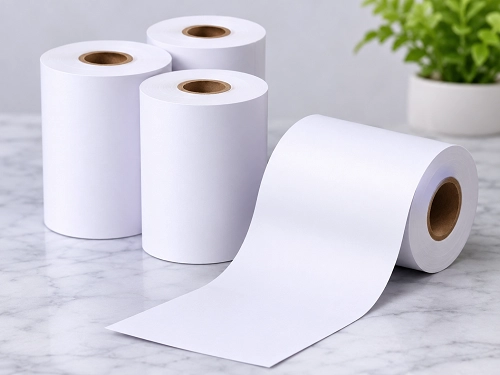


Thermal printing paper is a coated paper that darkens when heated, so a printer can produce text, barcodes and graphics without ink, toner or ribbon. It is the standard medium for point-of-sale receipts, parcel waybills, ticketing and many label applications.
Quick answer
Thermal paper (also called direct thermal paper) carries a heat-reactive layer made of a colorless dye and an acidic developer. When a thermal printhead heats a spot on the paper, the two components melt and react, and that spot turns dark. Nothing is transferred onto the paper, which is why the printers are simple and cheap to run. The same chemistry also explains the weaknesses: heat, friction, some chemicals and long-term light or humidity exposure can all darken or fade the image.
How thermal paper works
A direct thermal printer has a row of tiny heating elements. As the paper passes underneath, the printer pulses individual elements on and off in a pattern that forms the image. Where the coating is heated past its activation temperature, its components melt together and the dye changes structure and becomes visible. According to an archived U.S. EPA chapter on thermal paper, the leuco dye is colorless at room temperature and changes structure when it receives a proton from the developer under heat.
The four functional ingredients
The thermal layer is usually described as a combination of four components:
- Leuco dye. The color-forming agent. Common families include fluoran and phthalide dyes.
- Developer. A weak acid that triggers the color change. Historically this was bisphenol A (BPA) or bisphenol S (BPS). Phenol-free alternatives, such as certain urea-based chemistries, are now widely used.
- Sensitizer. Lowers the melting point of the system, so the paper responds at lower printhead energy. This governs print speed and darkness.
- Stabilizer. Helps keep the printed image from reverting to its colorless form, which matters for archival life. Technical references note that the colored state is metastable and can relax back toward the original state under hot or humid storage.
Layer structure
A basic receipt grade is a base paper with a thermal coating. Higher-performance grades add a pre-coat that reduces heat loss into the paper, so the image is sharper, and a protective top coat that improves resistance to water, oil and abrasion. The diagram below is a simplified, not-to-scale illustration.
Figure 1. Simplified layer structure of thermal paper (illustrative, original diagram).
Direct thermal vs. thermal transfer: an often-confused choice
Direct thermal paper needs no ribbon because the paper itself changes color. Thermal transfer printing uses a heated ribbon to deposit wax or resin on a label, and the printed image is generally more durable. The practical rule: choose direct thermal for short-life items (receipts, parcel labels, queue tickets, tickets) and consider thermal transfer when the label must survive months of heat, light or chemical exposure. Many logistics labels fall into the first category, because a shipping label only has to stay readable until delivery.
Main grades and where they fit
| Grade | Typical structure | Best suited for | Main limitation |
|---|---|---|---|
| Standard receipt grade | Base paper + thermal layer | POS and ATM receipts, queue tickets | Sensitive to oils, plasticizers and heat |
| Top-coated grade | Thermal layer + protective coat | Food, pharmacy, outdoor handling | Slightly higher cost; needs matched printhead settings |
| Three-proof thermal label | Top-coated thermal face + adhesive + liner | Courier waybills, warehouse labels | Adhesive must match the carton surface and temperature range |
| BPA-free / phenol-free grade | Alternative developer chemistry | Markets with bisphenol restrictions, frequent-handling roles | Verify the exact developer, not just the "BPA-free" claim |
Table 1. General grade comparison. Actual performance depends on the specific coating formulation and printer.
Why logistics labels have different requirements
A shipping label is not a receipt. It is scanned several times by handheld readers and fixed scanners, rubbed against other parcels, and exposed to condensation, warehouse heat and sometimes oily hands. Three properties matter most:
- Barcode contrast. Scan success depends on dark, well-defined bars. A sensitive coating that prints dark at low energy keeps bars crisp at high printer speeds.
- Surface protection. Courier waybill labels are typically made with three-proof thermal paper (waterproof, oil-proof and scratch-resistant), as described on Guanhao's logistics labels page.
- Adhesive performance. The label face is only half the system. Cold-chain cartons, recycled corrugated boards and curved surfaces each need a suitable adhesive, which is why the adhesive and the paper should be specified together. See Guanhao's thermal adhesive range.
Guanhao thermal printing paper: specifications
Zhejiang Guanhao Functional Material Co., Ltd. produces thermal printing paper in roll format and supports custom sizes and OEM requirements. The parameters published on the company's product page are summarized below.
| Parameter | Published specification | Why it matters |
|---|---|---|
| Width | 57 mm / 80 mm / custom | Must match the printer's paper path and printhead width |
| Roll diameter | 40 mm / 50 mm / 80 mm or customized | Determines paper capacity and how often rolls are changed |
| Core size | 12 mm / 17 mm / 25 mm (customizable) | Must fit the spindle to avoid feeding problems |
| Paper weight | 48–65 g/m² | Lighter paper gives more length per roll; heavier paper is stiffer |
| Thickness | 60–80 microns | Affects heat transfer and feeding in compact printers |
| Coating | Heat-sensitive, single-sided | The coated side must face the printhead |
| Colors | White, blue, yellow (custom available) | Color coding of workflows or departments |
| Compatibility | POS, kiosk, ATM, label and portable printers | Covers most retail, banking and field-service equipment |
Table 2. Source: Guanhao product page. For a project-specific specification, request a technical confirmation through the contact page.
According to the company, the paper is made with BPA-free, recyclable material and a smooth surface intended to reduce printhead wear. Buyers with regulatory requirements should ask for the developer chemistry and any test reports for their target market rather than relying on a general claim.
BPA, BPS and phenol-free: what buyers should know
Bisphenol developers have been used because they give stable, dark images, but they have drawn regulatory attention. The European Union has restricted BPA in thermal paper to concentrations of 0.02% or less since January 2020, and BPS has been used by some suppliers as a replacement, according to ChemistryViews. Bisphenols can also contaminate paper streams when thermal paper is recycled. In response, developers in other chemical families, including urea-based systems, are used in phenol-free products. A more radical approach, described by the EPA, forms the image by collapsing air voids in the coating, with no chemical developer at all.
Practical advice: when you buy, ask which developer is used, which regulation your destination market applies, and whether the supplier can document it. "BPA-free" alone does not say whether a related bisphenol is present.
Storage, handling and printing conditions
Because the coating reacts to heat, storage conditions directly affect print quality. Guanhao's published guidance is:
- Store in a cool, dry place below 25°C, away from direct sunlight and humidity.
- Print at about 15°C–35°C and 45%–65% relative humidity.
- Keep paper away from oils, water and plasticizers. A common real-world culprit is soft PVC, such as vinyl wallet sleeves or some cling films, which can cause printed areas to fade.
- For records that must be kept, store printouts in low light and dry conditions, or make a scan or photocopy, since a thermal image is not an archival medium.
Troubleshooting common print problems
| Symptom | Likely cause | What to check |
|---|---|---|
| Pale or uneven print | Low heat setting, dirty printhead, paper loaded upside down | Coated side orientation, density setting, clean the head with isopropyl alcohol |
| Vertical white lines | Debris or a damaged heating element | Inspect the printhead; replace it if the line persists after cleaning |
| Barcodes fail to scan | Print too light or too dark, bars smeared | Reduce print speed, adjust darkness, check with a barcode verifier |
| Grey background or stray marks | Heat or friction exposure before printing | Storage temperature, rolls left near windows or vehicle dashboards |
| Image fades within weeks | Light, heat, or chemical contact | Switch to a top-coated grade, or use thermal transfer for long-life labels |
| Paper jams or skewed feed | Wrong core size, loose winding, wrong width | Match core, width and diameter to printer specifications |
Table 3. General troubleshooting guide. Always follow the printer manufacturer's maintenance instructions.
How to choose thermal paper: a short checklist
- Define the required life. Hours, weeks or years? This decides between standard, top-coated and thermal-transfer solutions.
- List exposure risks. Moisture, oil, friction, sunlight and contact with plastics.
- Match the hardware. Width, diameter, core size, printhead resolution, and the printer's heat profile.
- Check the chemistry and compliance. Developer type, and any destination-market restrictions.
- Test before volume orders. Run a sample at your normal print speed and scan the barcodes at the real distance and angle used in your operation.
Applications across industries
Thermal paper is used wherever fast, low-maintenance printing is needed. The strongest fit is in logistics and warehousing (waybills, tracking barcodes), retail and supermarkets (receipts, shelf and price labels), banking (ATM and transaction slips), healthcare (patient and prescription labels), and hospitality and ticketing. For label-specific applications, explore Guanhao's pages on retail labels, drug labels, industrial labels and electronic labels, or the full product range.
Frequently asked questions
Is thermal paper the same as thermal label paper?
Both use the same heat-reactive principle. Thermal label stock adds an adhesive layer and a release liner so it can be applied to cartons and products, while receipt rolls are plain paper without adhesive.
Why does thermal paper fade?
The colored form of the dye is metastable. Heat, humidity, light and certain chemicals can push it back toward its colorless state, which is why stabilizers and protective top coats are used in more demanding grades.
Can thermal paper be recycled?
It depends on the coating chemistry and local recycling rules. Bisphenol-containing receipts are commonly advised against in mixed paper streams, so check local guidance and ask your supplier about the coating type.
Can I print on both sides?
Only if the paper is specifically made for double-sided thermal printing and the printer supports it. Standard grades, including the Guanhao rolls described above, are single-sided.